


Home Cinema Wiring Done Properly From Day One

A wall-mounted TV can look excellent, but the finished result depends on what sits behind it. Good home cinema wiring makes the room easier to use, protects equipment, and avoids the familiar sight of loose cables trailing down the wall. Whether you are converting a spare room, upgrading a lounge or fitting out a new-build property, the wiring needs planning before the TV goes up.
The aim is not to fill every wall with cables for equipment you may never use. It is to provide the right connections, in the right places, with a sensible route for future upgrades. A tidy installation should still be practical when you need to change an HDMI lead, reset a device or add a sound system later.
Start home cinema wiring with the equipment plan
Before chasing a wall, fitting trunking or mounting a TV bracket, decide where each part of the system will live. The screen may be on the main wall, but the Sky box, games console, streaming device, AV receiver, soundbar, router and speakers all need consideration.
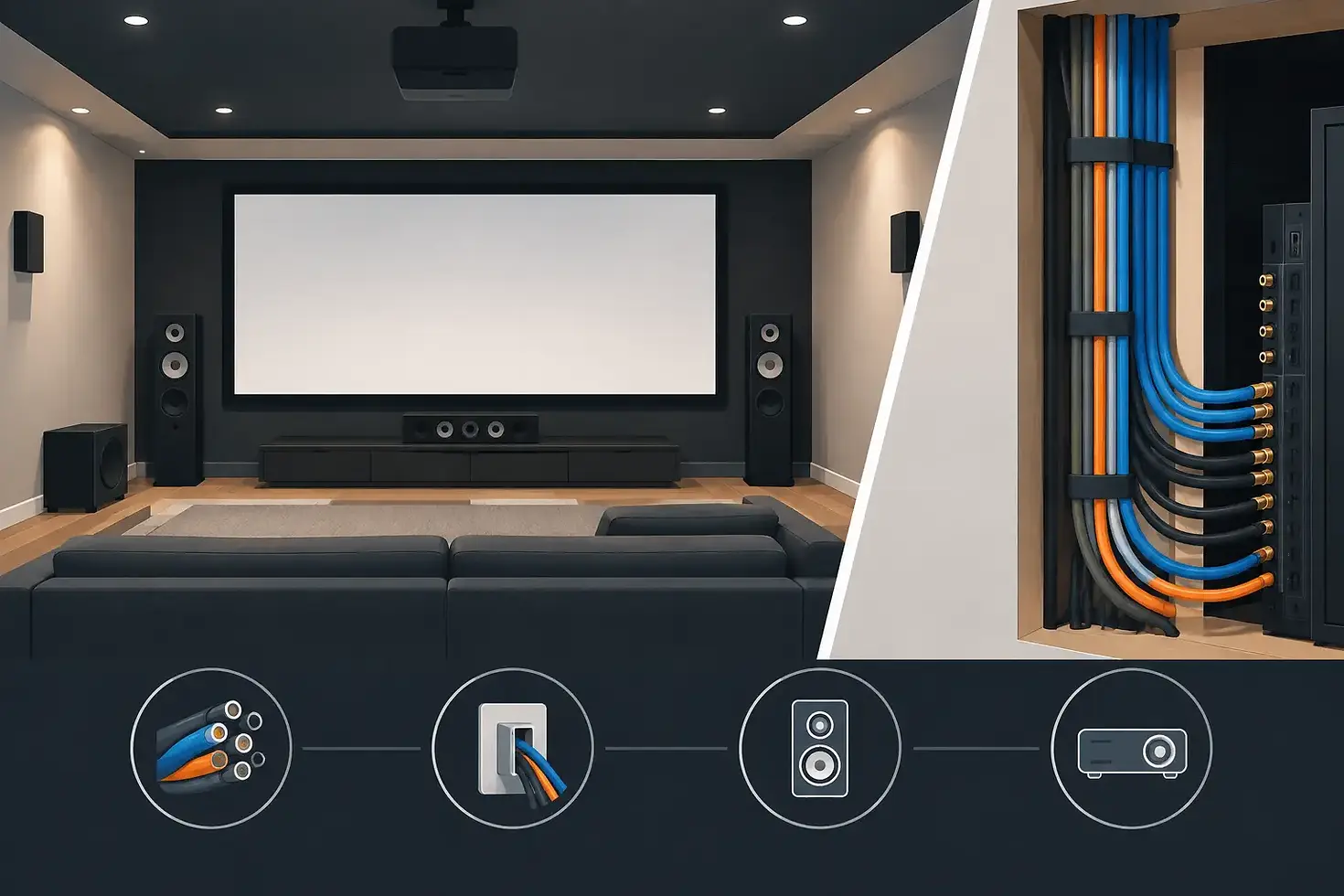
For a straightforward TV and soundbar setup, the essential requirement may be a power point and a cable route from behind the TV to a cabinet below. If you want a full surround-sound system, wiring becomes more involved. Speaker cable routes need to reach the front, centre, surround and possibly ceiling speakers, while the receiver needs enough ventilation and access to power.
It also matters how you watch content. A streaming-only household may only need a wired internet connection and a couple of HDMI feeds. Homes using satellite, aerial TV, games consoles and media boxes can need several connections. Planning around your actual equipment prevents unnecessary work and keeps the installation easier to manage.
Choose the right location for the TV
The best TV position is not always the obvious central wall. Check where people will sit, whether sunlight hits the screen, and where power is available. A fireplace wall can work well, but the TV must be kept clear of excessive heat and fitted at a comfortable viewing height.
Wall type also affects the installation. Solid brick and concrete walls provide a strong fixing point, while plasterboard and new-build stud walls need the correct fixings and, in some cases, additional support. The bracket, screen weight and wall construction should all be assessed together. Hiding cables is only one part of the job - the TV itself needs to be securely mounted.
Separate power cables from signal cables
One of the most useful rules in home cinema wiring is to keep mains power separate from low-voltage signal cables wherever possible. HDMI, speaker, aerial and network cables should not be tightly bundled alongside mains wiring for long runs. Separation helps reduce the chance of interference and keeps the work safer and more organised.
A qualified electrician should handle any new electrical circuits, socket alterations or work inside fixed electrical wiring. For many installations, a suitable existing socket can be used to power the TV and equipment, with cables managed neatly in purpose-made trunking or a planned wall route. Do not run a standard extension lead loosely inside a wall cavity or behind a hot appliance.
Think about how many sockets you genuinely need. A TV, soundbar, receiver, subwoofer, router, console and charging point can soon use up a two-way socket. A properly planned equipment area avoids overloaded extension blocks and makes it easier to isolate equipment when required.
Use conduit or accessible cable routes
HDMI standards change, equipment gets replaced, and cables can fail. For that reason, it is often wiser to install a conduit, cable channel or accessible route rather than permanently burying a single cable with no way of replacing it.
A conduit behind a wall-mounted TV can run down to a media unit, allowing HDMI, aerial and network cables to be fed through without being visible. The size matters. A narrow route may accept one cable but become useless if you later need a larger HDMI connector or an additional lead. Allow room for gentle bends too, as forcing cables around tight corners can damage them.
If cutting into walls is not suitable, surface trunking can still be a neat answer. Modern trunking can be fitted carefully, painted to match the wall and positioned behind furniture where possible. In rented homes or properties where you do not want to disturb finishes, this is often the more sensible option.
Do not underestimate HDMI and network cables
HDMI is the main connection between many devices and the TV, but not every cable is equal. The longer the cable run and the higher the picture specification, the more important cable quality becomes. A short run from a console to a TV is usually simple. A long run through a wall for 4K gaming, high refresh rates or advanced audio formats needs more care.
Avoid pulling an HDMI cable hard through a tight route. Test it before the wall is closed or the TV is mounted, checking the picture, sound and control functions. If the TV and soundbar use HDMI eARC, make sure the cable is connected to the correct labelled port. This allows compatible TVs to send higher-quality sound back to the soundbar or receiver.
Wi-Fi is convenient, but a wired network connection can be more reliable for streaming 4K content, online gaming and smart TV updates. If the router is in another room, consider running a Cat6 network cable to the TV or media cabinet. It can provide a stable connection now and give you options for future devices.
Plan speaker cable routes before decorating
For a soundbar, cables may be limited to power and one HDMI or optical lead. A full home cinema system needs more thought. Speaker cable is easier to hide before plastering, decorating or laying flooring, particularly for rear speakers.
Try to keep left and right front speakers at similar distances from the main seating position. The centre speaker should sit close to the screen so dialogue feels connected to the picture. Rear or surround speakers should be placed to the sides or behind the seating area, depending on the system design and room shape.
Ceiling speakers can create a clean look, but they are not automatically the right choice for every room. Joists, insulation, lighting cables and access above the ceiling all need checking. A subwoofer usually connects with a single cable, although some models can work wirelessly. It still needs a nearby power socket and a position that does not block walkways.
Label both ends of every speaker, HDMI and network cable. It takes minutes during installation and can save a great deal of guesswork when equipment is connected later.
Keep ventilation and access in mind
A media cabinet full of equipment can get hot quickly. AV receivers, games consoles and set-top boxes all produce heat, and enclosing them in a tight cupboard can shorten their life or cause them to shut down. Leave space around equipment and consider ventilation where several devices are installed together.
Also leave access to ports, plugs and reset buttons. A perfectly hidden cable route is not helpful if changing an HDMI lead means taking the TV off the wall. A good installation balances a clean finish with sensible access for everyday use and maintenance.
Avoid common wiring mistakes
The most expensive problems are often caused by rushing the early stages. Common mistakes include mounting the TV before deciding where devices will sit, fitting too few sockets, using cables that are too short, and burying leads with no route for replacement.
Another issue is placing the TV too high. Hiding wiring above a fireplace may look tempting, but comfort should come first. For most seating arrangements, the centre of the screen should be near eye level when seated, subject to the size of the TV and the room layout.
It is also worth checking any building restrictions, especially in flats, rented properties or new builds. There may be limits on altering walls, routing cables through communal structures or fitting external aerial and satellite connections.
Get the fitting and finish right
A well-planned setup should look calm rather than complicated. The screen is securely fixed, cables are out of sight, equipment has power and ventilation, and the system remains usable when technology changes. This is particularly valuable in busy family homes, where the lounge needs to work every day rather than look good only in photographs.
For homeowners across London, Essex and Kent, We Fit All can help with secure TV wall mounting and practical cable management as part of a tidy home entertainment installation. The right approach depends on the wall, the equipment and how you use the room, so it is always worth planning the route before the first hole is drilled.
Take a few photos of the wall, note where the sockets are, and list the devices you want connected. That small amount of preparation makes it much easier to create a cinema-style setup that stays neat, reliable and ready for the next upgrade.


Comments